

Heart Rate Zones
Why Apple Watch, Garmin, and Strava Show Different Heart Rate Zones
The same workout can land in different heart-rate zones on Apple Watch, Garmin, and Strava. Learn why the labels disagree, which settings to compare, and how to build one consistent zone system.

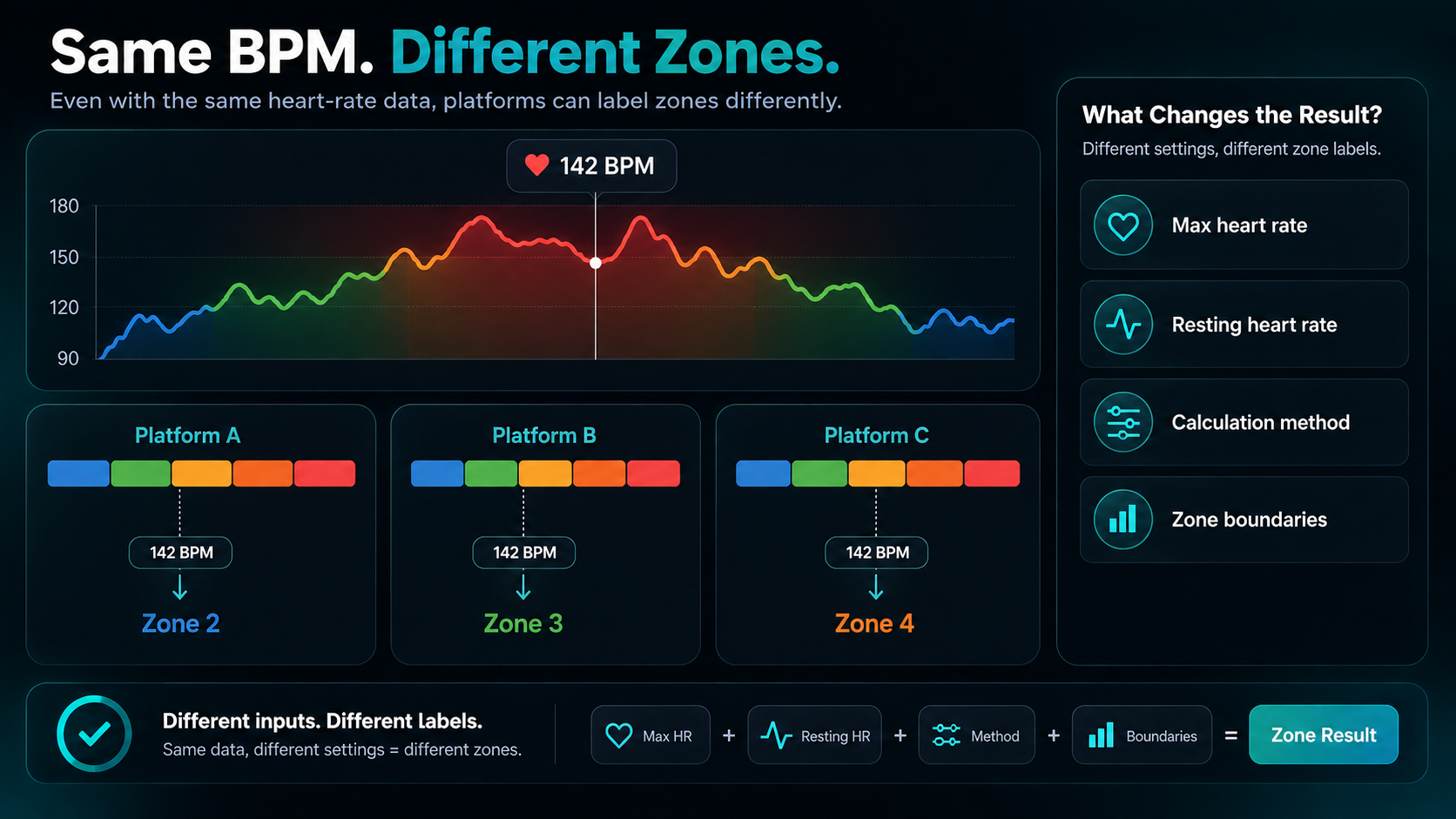
The Same Heart Rate Can Produce Different Zone Labels
Apple Watch, Garmin, and Strava can show different heart-rate zones for the same workout even when they received exactly the same heart-rate data. The usual cause is not a bad sensor. Each platform may use a different maximum heart rate, resting heart rate, calculation method, zone boundary, or sport-specific setting.
Start by comparing the beats-per-minute boundaries shown in each platform. Do not compare only the zone names or colors. If one system calls 145 bpm Zone 2 and another calls it Zone 3, the underlying heart-rate trace may still be identical. The disagreement is in interpretation.
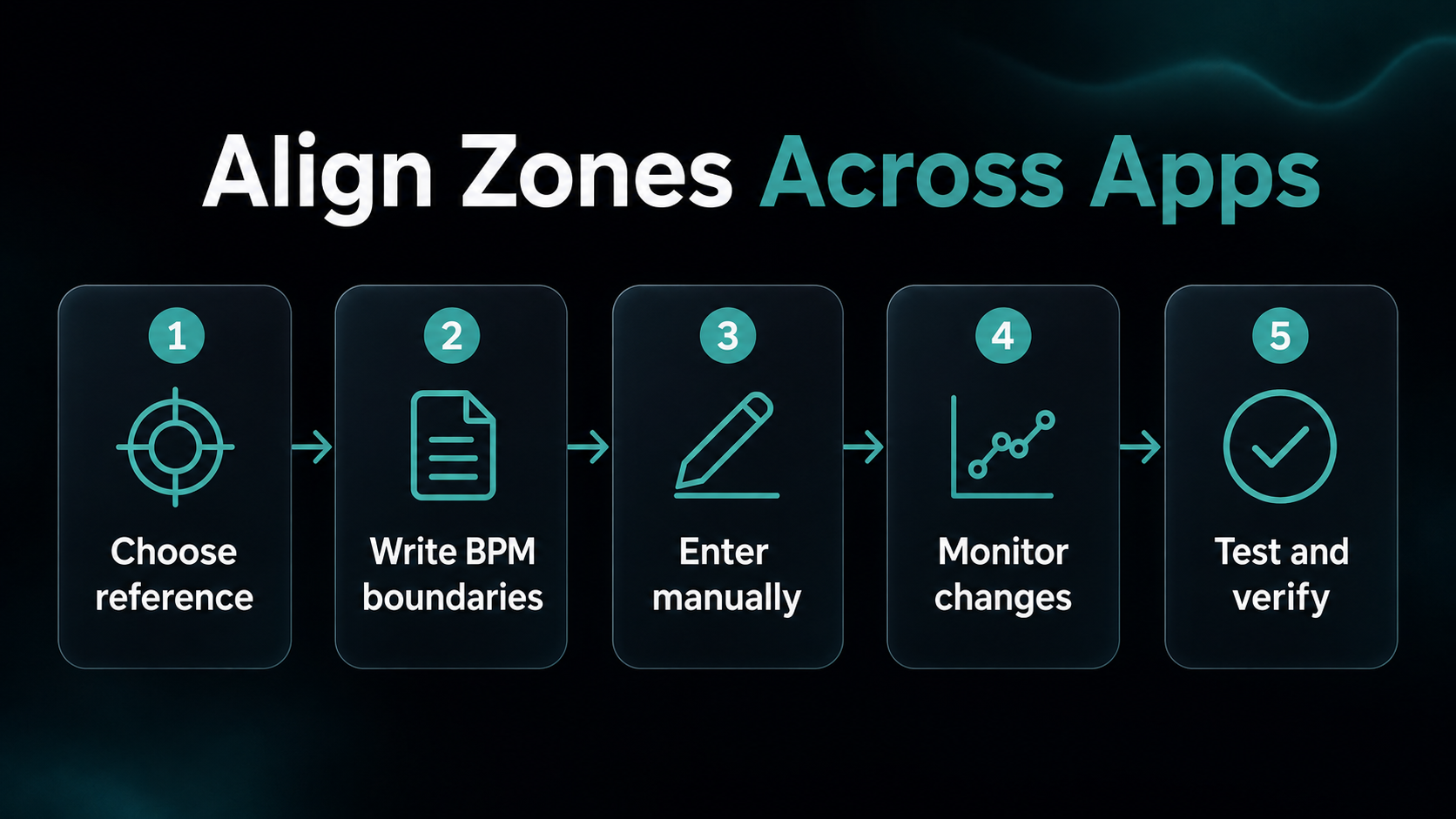
The practical solution is to choose one defensible set of boundaries for each sport, enter those same BPM limits wherever customization is available, and use one platform as the reference for weekly review. Before changing anything, make sure the workout file actually contains credible heart-rate data. Our guide to Apple Watch versus chest-strap accuracy helps separate sensor problems from zone-setting problems.
Four Settings Usually Explain the Difference
Maximum heart rate
Any percentage-based zone system needs a maximum heart rate. If Apple Watch uses 188 bpm, Garmin uses 193 bpm, and Strava estimates 185 bpm, every percentage boundary will land at a different number.
Age-based formulas are convenient starting points, but they describe a population rather than measuring one athlete. A large study by Tanaka, Monahan, and Seals found that maximum heart rate declines with age on average and proposed an updated age-prediction equation, while also showing meaningful variation around the estimate (Journal of the American College of Cardiology). A formula can be reasonable for initialization and still be wrong enough to move an individual workout across a zone boundary.
Resting heart rate
Heart-rate-reserve systems use both maximum and resting heart rate. Resting heart rate changes the size of the usable range and therefore changes the BPM associated with a given percentage.
Research by Swain and Leutholtz found that percentage of heart-rate reserve aligned more closely with percentage of oxygen-uptake reserve than percentage of maximum heart rate did (Medicine & Science in Sports & Exercise). That supports heart-rate reserve as a legitimate prescription method. It does not make it interchangeable with a simple percentage-of-maximum method.
Calculation method
Platforms do not have to use the same formula. Common choices include:
- percentage of maximum heart rate;
- percentage of heart-rate reserve;
- percentage of lactate-threshold heart rate;
- manually entered BPM boundaries.
Garmin documents options based on BPM, percentage of maximum heart rate, heart-rate reserve, and lactate-threshold heart rate on compatible devices (Garmin Support). Strava says its default zones use an age-estimated maximum heart rate and allows subscribers to customize the endpoints (Strava Support). Apple describes its five zones as percentages of maximum heart rate that are automatically personalized from Health data, with manual editing available for the internal boundaries (Apple Watch User Guide).
Zone boundaries and sport
Even two systems using percentage of maximum heart rate may place the cutoffs at different percentages. A boundary included in the lower zone by one app can be included in the higher zone by another.
Sport settings add another layer. Garmin and Strava can support activity-specific zones in some configurations. That matters because running and cycling thresholds are not guaranteed to occur at the same heart rate. A carefully tested cycling system should not automatically overwrite running zones.
A Worked Example at 145 BPM
Consider an athlete with a maximum heart rate of 190 bpm and a resting heart rate of 50 bpm. During a steady run, all three platforms receive a heart rate of 145 bpm.
As a percentage of maximum heart rate:
145 ÷ 190 = 76% of maximum heart rate
As a percentage of heart-rate reserve:
(145 − 50) ÷ (190 − 50) = 68% of heart-rate reserve
The recorded heart rate has not changed. The percentage has changed because the second method accounts for resting heart rate. Each platform then applies its own boundary table, so the final label may differ again.
Now imagine that Strava is still using an age-based maximum of 180 bpm. The same 145 bpm becomes 81% of maximum. One stale profile value has created another interpretation without changing the workout.
This is why screenshots of colored zone charts are poor evidence that one device measured incorrectly. First compare the raw BPM trace. Then compare the settings used to translate BPM into zones.
How to Find the Source of the Mismatch
Use a recent steady workout with a clean heart-rate trace. Avoid starting with short intervals, a cold-weather run, or a session containing obvious spikes and dropouts.
1. Confirm the source data
Check the average heart rate, maximum heart rate, and graph shape in each platform. Small differences can appear when an app trims pauses or receives a different data stream, but the main pattern should match if every platform imported the same workout.
If the raw values differ substantially, investigate the sensor, import path, pauses, and recording source before editing zones. A platform cannot classify data consistently if it did not receive the same data.
2. Write down the actual BPM boundaries
Record the lower and upper BPM for all five zones in a simple table. Ignore colors and labels until the numbers are side by side.
| Setting | Apple Watch | Garmin | Strava |
|---|---|---|---|
| Maximum heart rate | |||
| Resting heart rate | |||
| Calculation method | |||
| Zone 2 BPM range | |||
| Zone 3 BPM range | |||
| Running-specific zones | |||
| Cycling-specific zones |
The blank table is intentional. Copy current settings rather than assuming that a platform still uses its default.
3. Identify the first boundary that disagrees
Suppose Zone 2 ends at 144 bpm in one platform and 149 bpm in another. A steady 147 bpm effort will be Zone 3 in the first and Zone 2 in the second. You have found the disagreement; no deeper mystery is required.
4. Trace the boundary back to its inputs
Check maximum heart rate, resting heart rate, lactate-threshold heart rate, the chosen method, and any sport-specific override. Also check whether a birthday, new threshold estimate, or automatic detection recently changed a value.
Which Zone System Should Be the Reference?
Use the system with the most defensible inputs, then make the other platforms match it where practical. The best reference depends on what you actually know.
If you only have a plausible maximum-heart-rate estimate, a consistent percentage-of-maximum system is acceptable as a starting point. If you have a reliable resting heart rate and prefer heart-rate reserve, use it consistently. If a well-conducted sport-specific threshold test produced a credible threshold heart rate, a threshold-based system may better reflect that sport.
Do not choose the platform whose chart looks most flattering. Choose the method that matches the evidence you have and the decisions you need to make. The heart-rate zone calculator lets you compare common methods before you enter new boundaries.
Whichever method you choose, confirm it against breathing and perceived effort. A calculation cannot rescue an incorrect maximum heart rate, a poor threshold test, or a noisy sensor.
How to Align Apple Watch, Garmin, and Strava
- Choose separate reference boundaries for running and cycling if your tested values differ.
- Write each boundary in BPM rather than copying percentages.
- Enter manual boundaries in the platforms that support them.
- Disable or monitor automatic threshold and maximum-heart-rate changes if they keep replacing tested values.
- Record which method and test produced the boundaries.
- Review one steady workout and one longer controlled workout after the change.
Manual alignment is easier when every platform accepts exact BPM endpoints. When a platform exposes fewer settings, prioritize consistency in the app you use for long-term review and treat the other label as an approximation.
Do Not Rewrite Historical Training to Force Agreement
Changing current settings may not recalculate old workouts. Garmin explicitly notes that custom zone changes do not affect historical data already uploaded (Garmin Support). Other platforms may also preserve the interpretation that existed when the activity was processed.
That does not make the history useless. Compare old workouts using raw heart rate, pace or power, duration, terrain, and notes when historical zone labels came from different systems. Mark the date when you changed the reference boundaries so future comparisons have context.
Avoid adjusting zones after every surprising workout. Heat, fatigue, hydration, caffeine, hills, and cardiac drift can move heart rate without proving that a boundary is wrong. Look for repeated disagreement across controlled sessions.
Common Mistakes
The first mistake is comparing Zone 2 in one five-zone system with Zone 2 in a research paper that uses three physiological domains. The number is only a label; compare the underlying boundary definition.
The second is treating an automatic estimate as a measurement. A maximum-heart-rate formula and a detected threshold can both be useful, but each needs a plausibility check.
The third is forcing running and cycling into identical zones. Keep sport-specific settings when the evidence supports a difference.
The fourth is fixing classification before fixing the signal. Spikes, cadence lock, loose fit, and source-switching can create a bad heart-rate trace that no boundary table can interpret correctly.
The fifth is demanding identical colored charts. Minor differences near boundaries are inevitable and rarely change training. Align the systems closely enough that they lead to the same practical decision.
Conclusion
Apple Watch, Garmin, and Strava show different heart-rate zones because they may use different inputs, formulas, boundaries, and sport settings. Compare raw BPM first. Then compare maximum heart rate, resting heart rate, calculation method, and exact BPM endpoints.
Choose one evidence-based reference system, copy its boundaries where possible, and note when the change takes effect. Once the settings agree, use weekly time-in-zone review to answer the question that matters: did your easy, moderate, and hard training match the plan?

Our editorial approach & AI disclosure
We use AI to help research, organize, and draft some articles. Every article is reviewed by a human editor and aims to reflect current evidence-based training practices and scientific literature.
Read our editorial policy